
The Best Smart Notebooks of 2024
Smart notebooks offer a seamless solution to issues you might encounter with paper notebooks: they’re lightweight, easy to digitize, and offer advanced note-taking features all in one slim tablet. Here are some of the best smart notebooks you can buy today.
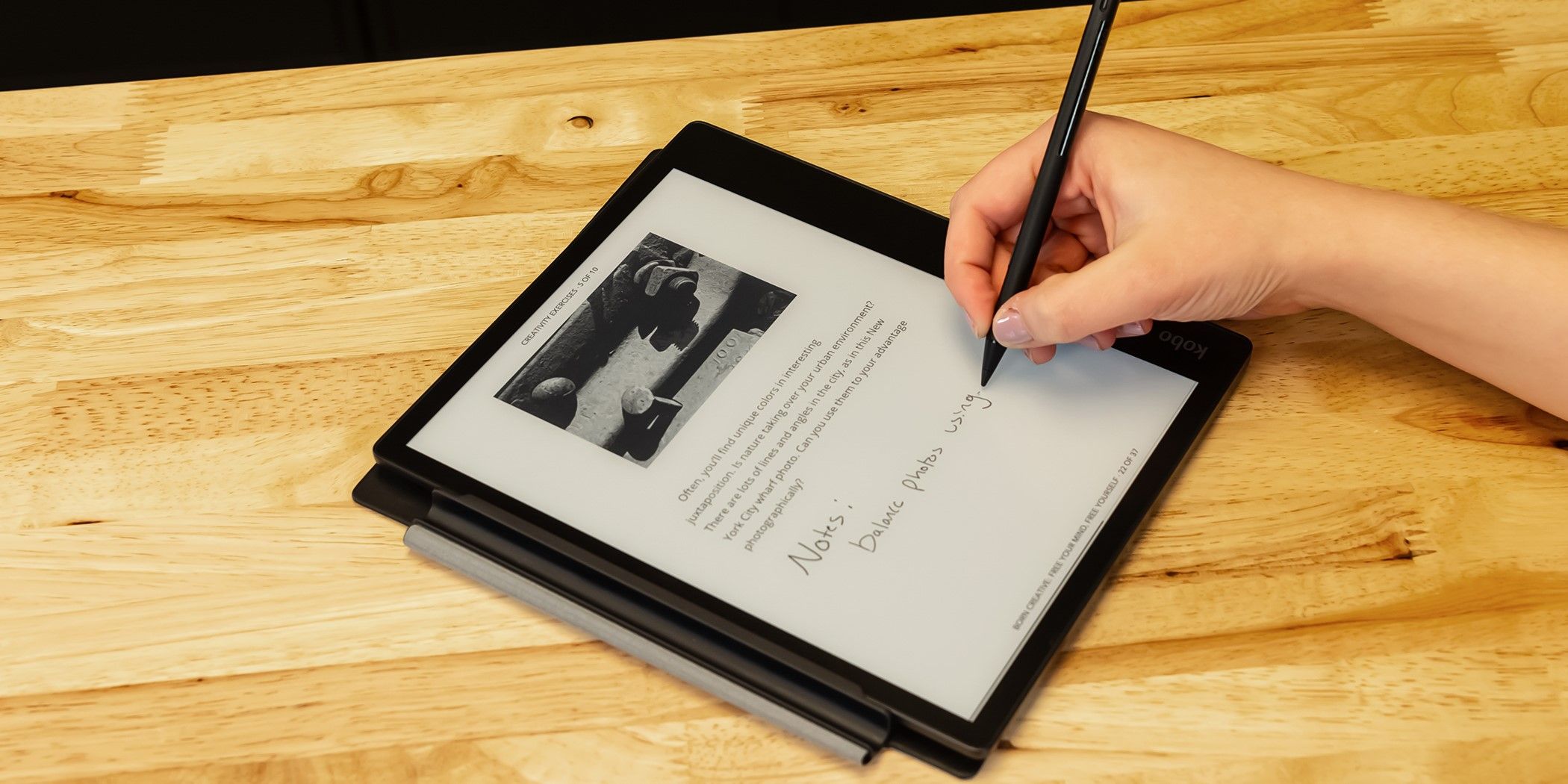
Whether it’s your first foray into smart notebooks or you’re looking for an upgrade, the Kobo Libra Colour tablet offers an ideal balance between quality and affordability. This eReader introduces a novel e-Ink screen with color, allowing you to read, highlight, and annotate while viewing a work as it was originally intended.
Like other smart notebooks, the Kobo Libra Colour offers a reading experience delightfully free of ads and other distractions. The tablet’s display is small, but its fantastic pen latency and anti-glare surface make it worthwhile for reading or working on the go. When you’re ready to export your files from the Kobo, you can use the Kobo Cloud or integrate Dropbox or Google Drive.
If you’re interested in Kobo notebooks but want a larger screen, the Kobo Elipsa 2E is the way to go.

Kobo Libra Colour
Best Overall
$220 $250 Save $30
Reading eBooks and taking notes has never been simpler thanks to the Kobra Libra Colour, an innovation upon the classic e-Ink smart notebook that offers 32GB of storage and a full-color display. This notebook is easy to take on-the-go thanks to its IPX8 full waterproof protection, ergonomic controls, and small, portable display — but it’s as well-suited for an evening of reading at home.
- Full-color display
- Ideal for taking on-the-go
- Ergonomic input and good pen latency
- Screen may be too small for some users
- Display has “screen door effect”

If you want a smart planner that won’t break your wallet, the Rocketbook is the perfect solution: it offers all the advantages of smart notebooks while using your phone as the hardware. The Rocketbook Everyday Planner is one of several editions released by Rocketbook, featuring 48 pages that can be wiped and reused endlessly.
Once you’ve written out your schedule, digitizing your plans is as simple as scanning each page with the Rocketbook app. Afterward, you can seamlessly transfer the files to cloud services like Google Drive, Slack, and OneNote. While the Rocketbook isn’t high-tech, the simplicity of pen and paper makes it just as powerfully distraction-free as the best smart notebooks.
If you want regular pages along with a planner, the Rocketbook Fusion may be better suited for your needs.

Rocketbook Everyday Planner
Best Budget
$38 $40 Save $2
With the Rocketbook Everyday Planner, you’ll never need to use another piece of paper for work again! It comes complete with 48 reusable notebook pages, a Pilot FriXion erasable pen, and a microfiber cloth. Once your notes are in the cloud, you can add smart titles, smart searches, and email transcription to make your catalog easier to navigate.
- Eco-friendly and endlessly reusable
- Extremely affordable
- Cataloguing in Rocketbook app is perfect
- Not a true smart notebook
- Pen may smear on the paper

With a price point to match the best smart notebooks and many more features, the Apple iPad is the perfect solution if you want something high-tech that isn’t just limited to taking notes. Paired with the Notability app and an Apple Pencil, you can write, draw, and craft the perfect notes with iOS’s powerful toolset right at your fingertips.
The 10th-generation iPad features a powerful A14 Bionic chip and a powerful battery, making the tablet powerful enough to keep up without needing to charge as you go about your day. Taking notes with the iPad is seamless, too, with the gorgeous Liquid Retina display offering industry-leading touch and pencil latency.

Apple iPad 10
Best Smart Planner
The Apple iPad 10th-Generation is Apple’s most affordable modern tablet, allowing you to enjoy multimedia on the go without breaking the bank. It comes in four vibrant colors and features some of the best hardware yet, offering enough power to make your day-to-day work or school routine a breeze.
- Choose from any planner app on the app store
- Similar price to the best smart notebooks but more versatile
- Available in four amazing colors
- Apple Pencil latency is the best in the industry
- Packed with distractions, unlike conventional smart notebooks
- Battery not as long-lasting as most smart notebooks

While other smart notebooks might have more features than the Amazon Kindle Scribe, this tablet delivers all the essentials you need at a fantastic price. This digital notebook has a massive 10.2-inch paperwhite display and a fantastic variety of page templates and brushes, ensuring that you can take notes without any practical limits.
The Amazon Kindle Scribe includes some quality-of-life essentials, such as seamless OCR handwriting-to-text conversion and direct support for importing documents from Microsoft Word. While the pen latency on the Amazon Kindle Scribe isn’t as good as with the reMarkable, its 300 ppi display puts it in a league of quality beyond most mid-budget smart notebooks.

Amazon Kindle Scribe
Best Smart Notebook Tablet
$240 $340 Save $100
Reading, writing, or studying is simple when using the Amazon Kindle Scribe. This tablet features a 10.2-inch display and fantastic pen latency, so reading the fine print or annotating your favorite novel is always a breeze.
- Several storage size options available
- OCR, PDF, Microsoft Word supported
- Good pen latency
- Provides access to the Amazon Kindle library
- Screen may be too large for some users
- Annotation and notebook syncing is clunky

The reMarkable 2 smart notebook is among the most famous smart notebooks out there, and it lives up to its reputation. Beyond its impressively responsive screen, the reMarkable 2 boasts an impressively comprehensive organization system, built-in OCR handwriting-to-text conversion support, and unlimited cloud storage with automatic syncing.
The reMarkable 2’s primary drawback is its price, but its incredible quality makes it worthwhile. The reMarkable pen is impressively responsive, and the notebook’s e-ink CANVAS display is well-lit but dim enough to resemble actual paper.

reMarkable 2
Best Premium Pick
Seamless digital notetaking is achievable with the reMarkable 2 if you’re willing to splurge. This tablet is approximately the same size as a notebook and provides 47 built-in templates, providing everything you could possibly need from a planner with a fraction of the paper waste.
- Impressive paper-like feel
- Excellent pen responsiveness and hand recognition
- Built-in cloud storage and syncing
- Expensive
- Not as versatile as other smart notebooks
FAQ
Q: What is a smart notebook?
Smart notebooks are devices that essentially replace traditional notebooks, all while offering incredible extra features like searchable notes, immediate PDF or OCR text conversion, and even cloud storage. Some, like the reMarkable 2, even minimize the drawbacks of digital devices by offering a nice paper-like feel and fantastic pen/hand differentiation.
Q: Are all smart notebooks reusable?
All smart notebooks are reusable. You can reuse most smart notebooks, like the reMarkable 2 and iPads with planner apps, by simply switching to a new page in your virtual notebook. You can even reuse the Rocketbook, which uses physical pages, because the pages can be wiped and re-scanned as often as you want to use them.
Q: Do I need a special pen to use a smart notebook?
Some smart notebooks require a special pen, but most don’t require them for use. You will need to buy a pen for devices like the reMarkable 2, while devices like iPads are capable of responding to touch input. If you’re looking for a cheaper alternative, third-party pens are available for most smart notebooks.
Q: Can a digital notebook convert handwriting to text?
Some digital notebooks support converting handwriting to text with a feature called Optical Character Recognition (OCR). Some devices and applications, like Notability on iOS and the reMarkable 2 notebook, have built-in OCR. Some smart notebooks don’t have any support for OCR, but it’s uncommon for them to lack the feature.